Translate anywhere
on your Mac.
Select text in any app, press one shortcut, and the translation appears right where you’re reading. 100+ languages, no copying, no second window.
Free every day, no account · macOS 15.6+
Stay with what
you’re reading.
Three small steps. No switching apps.
Step one
Select the text
In any app where text can be selected — and that includes text inside images, which macOS lets you select too.⌘⇧~
Step two
Press the shortcut
Hit ⌘⇧~ and the translation window opens on top of whatever you were doing, sized to the text — nothing to scroll, nothing to resize. The shortcut is yours to change.
Step three
Click to dismiss
Read it, then click anywhere — the window disappears on its own. No buttons to find, nothing left behind.⌘⇧~
⌘⇧R
Or replace the text outright
In any field you can type in, select what you wrote and press the second shortcut: the text is swapped for its translation on the spot — no window, nothing to copy. For the reply you’re writing in a language you only half speak.
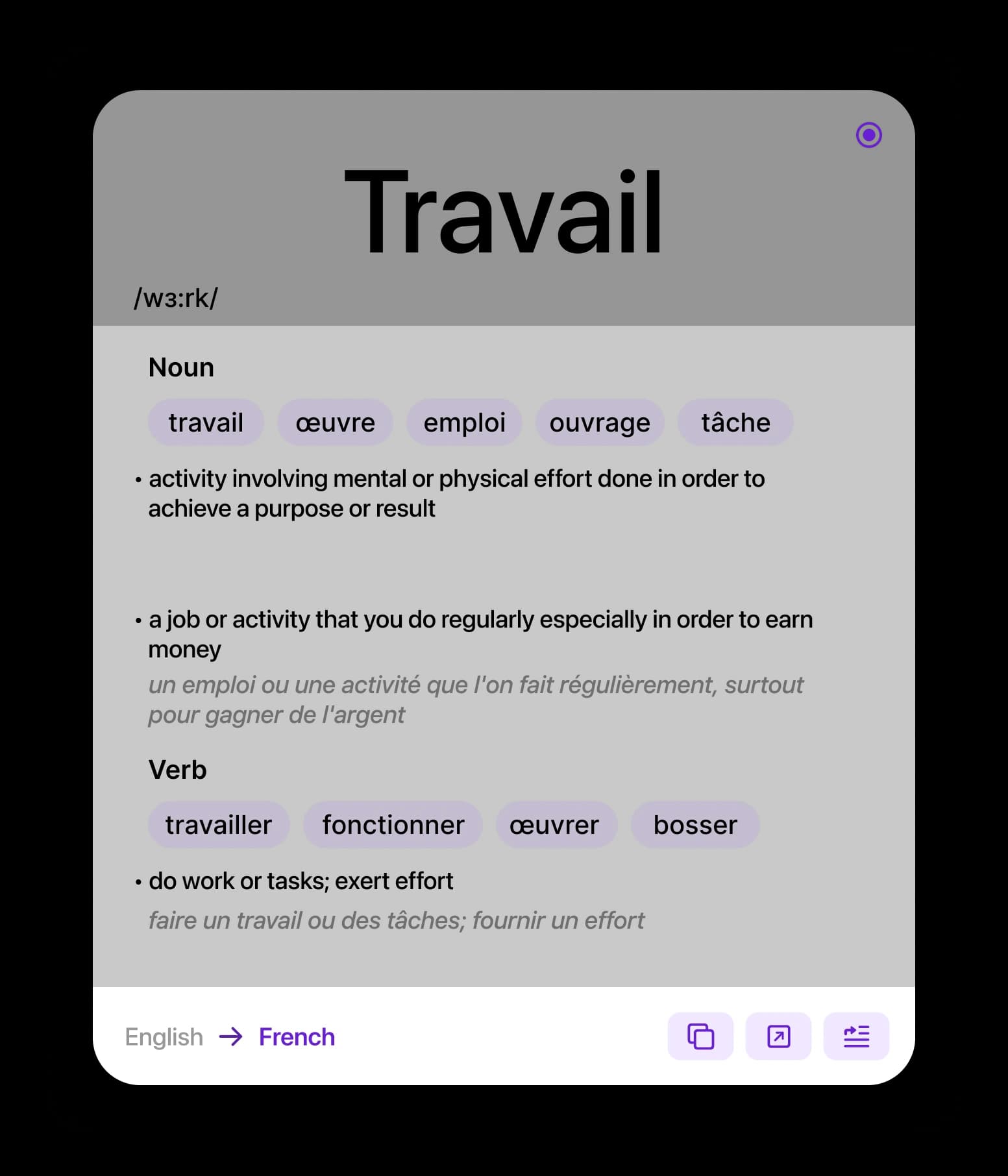
One word, the whole picture
Select a single word and you get more than a synonym: the transcription, the senses grouped by part of speech, the words native speakers would actually use, and the definition in both languages.
Select a paragraph and the engine reads the whole sentence before it answers — idioms stay idioms, tone survives, long passages don’t fall apart mid-paragraph.
- Hear it pronounced, at the speed you set.
- Keep several windows open side by side.
The words you look up come back
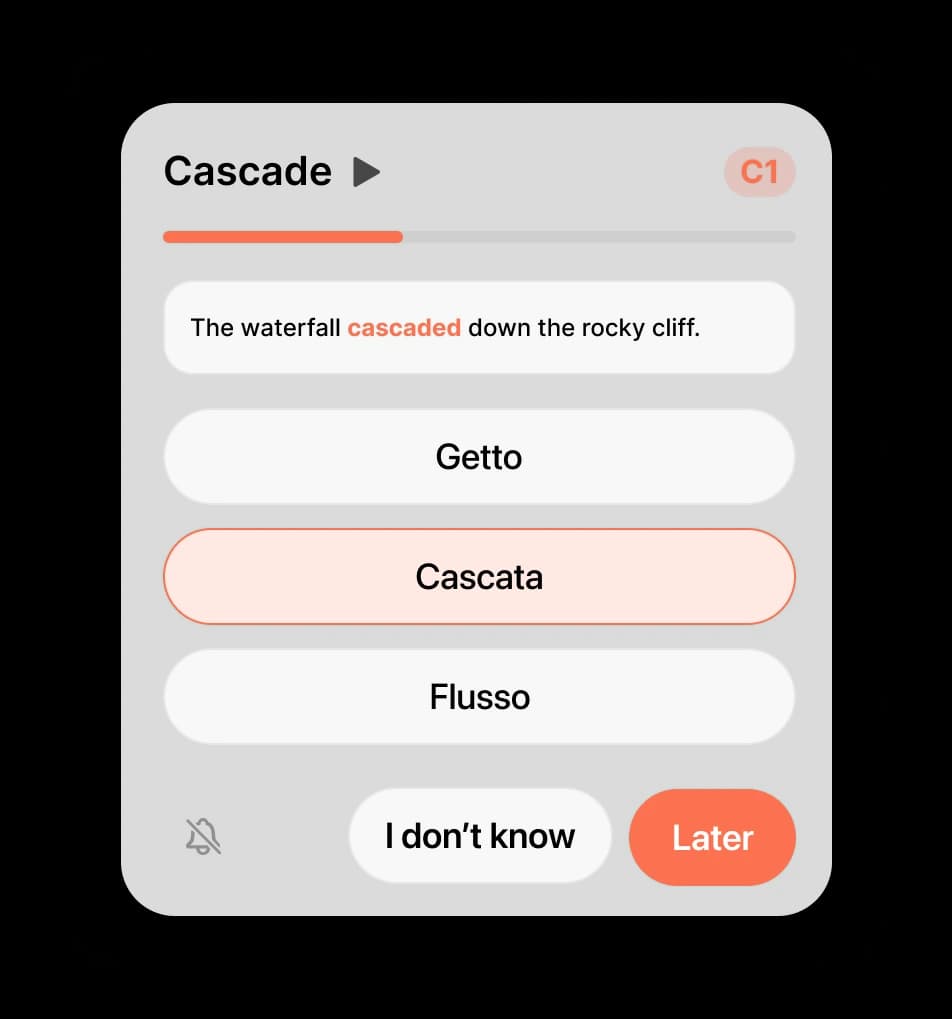
Every unfamiliar word goes into your word base and returns as a card — at the interval spaced repetition says you’re about to forget it. In the sentence you met it in, not in a vacuum.
Cards are graded by CEFR level, and the app mixes in new words just above yours. One click from the menu bar, one card at a time.
Nothing to select? Type it in.
Open the window from the menu bar or with ⌘⇧T and start typing — the translation appears underneath as you write, no button to press. It’s the same window that opens over selected text, so there’s nothing new to learn.
For the email you’re drafting, the form you’re filling in, the phrase you want to check before you hit send.
- Pick both languages yourself, or let it detect what you typed.
- Everything you’ve translated waits in History.
And it’s a proper Mac app
Lives in the menu bar
Nothing in the Dock unless you want it there.
Shortcuts your way
Set any combination you like for every action.
iCloud sync
History and word base on all your Macs.
Speaks your language
The app itself is translated into many languages.
Read aloud
Any translation pronounced, at your speed.
Your accent color
Pick the tint the whole app wears.
Launch at login
Ready the moment your Mac is.
No accounts, no ads
Nothing to sign up for, nothing to opt out of.
Your text stays yours. What you translate is processed to produce the answer and isn’t stored on our servers; history and your word base live on your Mac and in your own iCloud. Read the policy.
Simple pricing
Download free, no account. Upgrade in the app when you hit the ceiling.
Free
$0
every day
- A daily allowance of translations
- A daily allowance of flashcards
- Every feature included
- No account needed
Pro Annual
$24.99
per year — about $2 a month
- Unlimited translations
- Unlimited flashcards
- Free trial for new subscribers
Family — $39.99 per year for up to five family members via Apple Family Sharing. Prices in USD; your local price is shown in the app before you confirm. Subscriptions renew automatically and can be cancelled any time in App Store settings.
Read anything, anywhere on your Mac
One shortcut between you and 100+ languages. Free every day — no account, no card.
Download for Mac